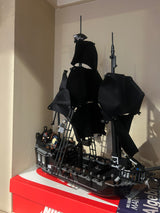
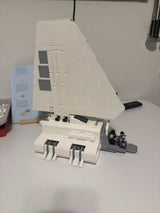
A LEGO light kit is bright enough when you can see the details you built and the glow doesn’t wash them out. The number on the box rarely tells you that. Lumens, beam angle and color temperature matter far more than watts or LED counts. This guide shows you how to read those specs, how to adjust brightness, and how to match the glow to your model.
TL;DR
- Compare lights by lumens, not watts. Watts measure power used, not light produced.
- Beam angle and color temperature change how bright a lit model looks, even at the same output.
- Many LEGO light kits are small and quite bright for their size, so dimming options are worth having.
- Warm white usually suits interiors. Cool white suits modern or sci-fi builds.
- Too much light hides detail. Start low and add light only where the model needs it.
Table of Contents
- How brightness is measured
- Why watts and LED counts don’t tell the story
- Beam angle and color: the other half of brightness
- Can you adjust the brightness of a light kit?
- Choosing the right brightness for your model
- Our perspective on light kit brightness
- Build more for less, then light it your way
- Photographing your lit model
- FAQ
- Sources
How brightness is measured
Brightness sounds simple, but the specs come in several units. Here is what each one means for a small LED kit.
Lumens measure the total light a source gives off. The U.S. Department of Energy’s consumer lighting guide explains that a watt measures electrical power, while a lumen measures light. If a listing gives you lumens, use that number first.
Candelas measure intensity in one direction. Small indicator-style LEDs are often rated this way. Technically, brightness can be given in lumens or candelas, and small LEDs are often rated in millicandelas, which describe a focused area rather than the whole output. A millicandela figure tells you how strong the beam is straight on. It does not tell you how much light fills the room.

Kelvin measures color, not brightness. The DOE guide notes that higher Kelvin values look cooler or bluer, and lower values look warmer. Color still changes how bright a light seems. A cool white LED often looks harsher than a warm one at the same output.
Most LEGO light kits don’t publish lumens at all. Many just list the LED count and the power source. That is normal for hobby products, so you will often judge brightness from the other clues in this guide.
Why your eyes can mislead you
Your eyes don’t see brightness in a straight line. The candela scale is logarithmic, so a big jump in the number is often needed before the eye sees a doubling of brightness. Two kits that differ by a small amount on paper will look about the same on your shelf. A kit that is much stronger will look clearly brighter, but not twice as bright.
The room matters too. A light that looks dazzling in a dim hobby room can look soft in a sunny living room. Judge your lights where the model will actually sit.
Why watts and LED counts don’t tell the story
Watts are easy to find, so shoppers lean on them. They are the wrong tool. The DOE’s guidance on LED equivalency says that wattage cannot be used to compare light output, even between two LED products. Equivalent products should be compared by lumens.
The same logic answers a common search: is a 9W light brighter than a 12W one? Not necessarily. The DOE consumer guide gives examples of 1,100-lumen LEDs that use as little as 9 watts or 12 watts. Two lights with different wattage can produce the same light. The more efficient one simply uses less power to do it.
LED count is just as unreliable. A kit with eight LEDs is not automatically brighter than a kit with four. The LEDs may be different sizes, driven at different currents, or aimed differently. What matters is the total light and where it goes.
A quick way to compare kits
When specs are thin, use this short checklist:
- Look for lumens. If a listing has them, compare those first.
- Check the LED type. Larger LEDs and brighter bins tend to give more light, but the seller has to say so.
- Check the beam. A tight beam looks bright in one spot. A wide beam spreads the light out.
- Check the color. Warm and cool white look different at the same output.
- Read buyer photos. Real photos in similar rooms show you what the brightness looks like in practice.
Beam angle and color: the other half of brightness
Two lights with the same lumens can look very different on a model. The reason is where the light goes.
The Illuminating Engineering Society defines beam angle as the angle between the two directions where intensity falls to 50% of its maximum. A narrow beam concentrates light in a small area. A wide beam spreads it. That is why a narrow-beam LED can post a higher millicandela reading than a similar-power LED with a wider beam, as the LED Fantastic brightness guide explains.
What does that mean for a LEGO build?
- Narrow beams work like spotlights. They suit a single feature, such as a lighthouse lantern or a car headlight.
- Wide beams fill a space. They suit the inside of a building, where you want even light across rooms and windows.
- Bare LEDs under translucent bricks scatter light, which softens a harsh beam and makes the model glow.
The DOE’s equivalency guidance also points out that equivalent products should direct similar amounts of light in each direction. Displayed light depends on total lumens and spatial distribution, so a kit’s layout matters as much as its raw output.
Warm white or cool white?
Color changes the mood and the apparent brightness. As a rule of thumb:
| Build type | Suggested color | Why |
|---|---|---|
| Houses, cafes, interiors | Warm white | Looks like real indoor lighting |
| Lighthouses, street lamps | Warm white | Matches the glow of real lamps |
| Sci-fi ships, modern cities | Cool white | Looks clean and technical |
| Vehicles | Cool white for headlights, warm for cabins | Matches real lamps |
| Flowers and display pieces | Neutral or warm | Keeps colors natural |
These are style guidelines, not rules. Pick what looks right to you.
Can you adjust the brightness of a light kit?
Often yes, and it’s worth looking for. Kits fall into three groups:
- Fixed-brightness kits have an on/off switch and nothing else. They are simple and cheap, but if they are too bright you are stuck with it.
- Dimmable kits have a controller, a remote or a dial that sets the level. Many also have preset modes.
- DIY setups use external parts. Hobbyists control intensity with microcontrollers, constant-current driver boards or simple switches, which also allows effects like flickering.
If you buy a kit without dimming and it turns out too bright, you have a few simple fixes:
- Put a thin layer of translucent white or frosted material between the LED and the bricks.
- Move the LED farther from the surface you are lighting.
- Use a lower-voltage power source if the kit’s instructions allow it.
- Remove the lights that look wrong. Fewer lights often look better than more.
Always follow the instructions that come with your kit. Don’t push a controller past its stated limits to get more light, since that can cause flicker or other problems.
For care, storage and troubleshooting once your lights are installed, see our quick maintenance guide for builders’ light kits.
Choosing the right brightness for your model
The goal is to show off the build, not to flood it. Too much light erases shadow, and shadow is what shows brick texture and detail.
Small displays and BrickHeadz
Small figures need very little light. One soft LED behind or beneath the piece is plenty. If you want a glow effect on a character, think about a gentle accent rather than a bright source.
Houses, shops and modular buildings
Interiors look best with warm, even light. Use a wide-beam LED in each room instead of one bright LED in the whole building. If one room looks much brighter than another, that usually means the LED placement is uneven, not that the kit is faulty.

Lighthouses and landmarks
A lighthouse is a good example of a model that benefits from a focused, warm light at the top. If you like lighting builds like this, take a look at our Motorized Lighthouse 21335, which is a natural candidate for a light accent.
Vehicles
Cars and ships need small, targeted lights: headlights, taillights and cabin glow. Narrow beams work well here. Keep the output modest so the paint colors still show. You can browse our vehicle sets for builds that suit this kind of lighting.
Large display shelves
When several lit models sit side by side, match their color temperature. A warm house next to a cool-white spaceship can look odd. Set your lights to similar levels so no single model dominates the shelf.
Does color change how bricks look?
Yes. Colored light shifts how bricks appear, and brick shades can already vary between batches. If you are mixing sets or parts, read our guide on brick color variance and sampling first before you light a display. Lighting will make any mismatch easier to see.
Our perspective on light kit brightness
We build and sell LEGO-compatible sets, and we hear the same question from builders again and again: how bright should the lights be? Our answer is simple. Brighter isn’t better.
Small LED kits are usually plenty bright for the size of a brick model. Builders often say the same thing about small lighting kits in general. Most disappointment comes from placement and color, not from weak output. A light that is too strong shows off cable routes, uneven bricks and hot spots. A softer light hides those flaws and shows your build instead.
We also think compatibility matters more than most people expect. Lights only work well when the parts fit properly, wires route cleanly and the model closes up without gaps. That is why we focus on sets where every piece fits and the instructions are clear. A well-built model gives you room to add light without forcing anything.
Our advice: start with the lowest brightness, test it in the room where the model will sit, then add light only where it improves the look.
— Affordable Bricks Editor
Build more for less, then light it your way
At Affordable Bricks, you can find premium LEGO-compatible sets at an accessible price, with detailed building instructions and pieces that fit properly. Explore our Replica Sets, Themes and Seasonal collections to find a build worth lighting up. We also offer discounts for military veterans and first responders, so ask about them at checkout. Shop Now and start your next display.

Photographing your lit model
Lights change how a model photographs. A bright LED can blow out detail in a photo even when it looks fine in person. Lower the output, turn off the room lights, and use a steady camera. For a full walkthrough, see our LEGO photography tips.
A few quick tips:
- Take photos with the lights both on and off, then choose the better shot.
- Use the lowest brightness that still shows the glow.
- Match the camera’s white balance to your light color so warm light doesn’t look orange.
- Avoid placing the model in direct sunlight, which can overpower the LEDs.
FAQ
How bright are LEGO light kits?
Most are fairly bright for their small size. Brightness depends on the LED type, the number of LEDs and the power source. Most kits don’t publish lumens, so look at buyer photos and choose a kit with dimming if you want control.
Is a higher wattage light kit brighter?
Not necessarily. The U.S. Department of Energy says wattage cannot be used to compare light output, even between two LED products. Compare lumens instead, and consider how the light is spread.
Which is brighter, 9W or 12W?
It depends on the light. Watts measure power used, and lumens measure light. The DOE’s consumer guide shows that 1,100-lumen LEDs can use 9 or 12 watts, so the wattage alone doesn’t answer it. For LEGO kits, wattage is rarely listed, so check the other specs.
What color light looks best on a LEGO model?
Warm white suits houses, interiors and lighthouses. Cool white suits sci-fi and modern builds. If you’re unsure, start with warm white, then compare it in the room where the model will sit.
How do I make a light kit dimmer?
Use a kit with a built-in dimmer or controller if you can. If yours has none, add a thin layer of frosted material over the LED, move the LED back a little, or remove one or two lights. Follow your kit’s instructions, and don’t exceed its stated settings.
Sources
- Consumer Guide to Energy-Efficient Lighting, U.S. Department of Energy
- Establishing LED Equivalency, U.S. Department of Energy
- Beam angle definition, Illuminating Engineering Society
- LED Brightness, Candelas and Lumens
- LEGO Set Lighting, Adafruit Learning System